 TwitterDown
Twitter Video Downloader for MP4 & HD
Paste a public Twitter/X post link to download its video as MP4.
Choose an available HD quality and save it on iPhone, Android, or desktop—no login required.
Public Twitter/X links only. Download MP4 or HD when available; private posts and DMs are not supported.



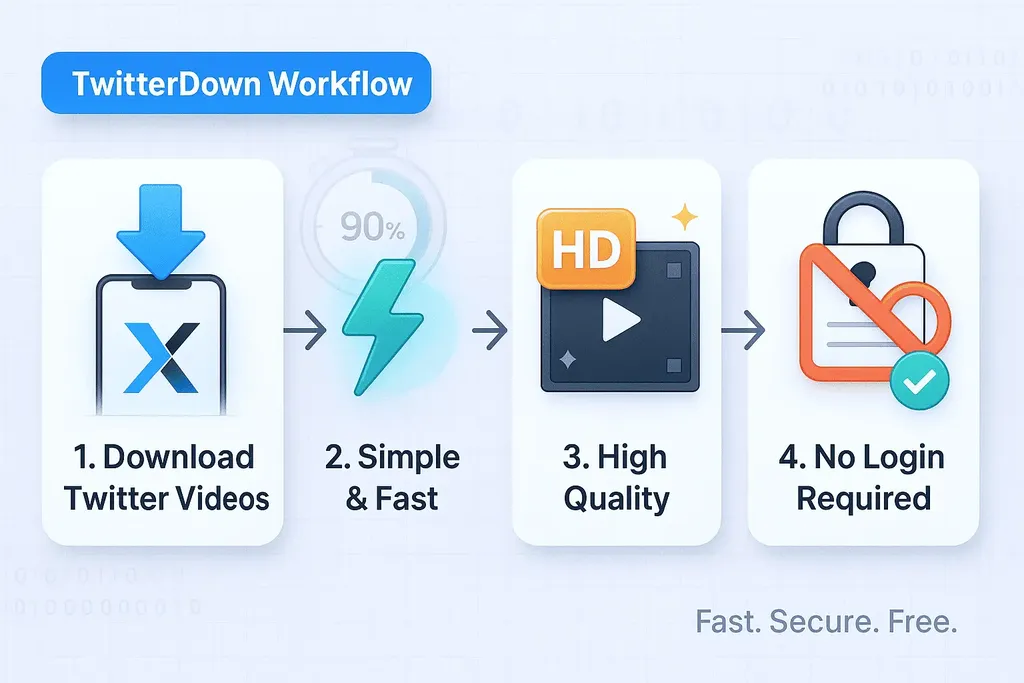
What is the TwitterDown Video Downloader?
TwitterDown is an online Twitter video downloader for public Twitter/X posts. Paste a post link, review the available quality options, and save the video as an MP4 file.
- Simple & FastCopy the post URL, paste it into TwitterDown, and process the video without installing an app or signing in.
- High Quality DownloadsSave the best MP4 option that the public source provides, including HD when it is available.
- No Login RequiredUse TwitterDown with public Twitter/X links only. Private posts, direct messages, and restricted videos cannot be accessed.
Why Choose TwitterDown
A focused Twitter to MP4 workflow keeps the process short: paste a link, review the available files, and download the version that fits your device.



How to Download Twitter Videos Online
Use three simple steps to turn a public Twitter/X video link into an MP4 download:
Twitter Video Downloader Features
TwitterDown focuses on reliable public-video downloads, format clarity, and a short path from link to MP4 file.
Fast Parsing
Paste a Twitter/X URL and get available download options within seconds.
Quality Selection
Choose from the qualities provided by the public source, from smaller files to HD when available.
High-Speed Downloads
Optimized processing keeps the download flow quick after the source video is parsed.
Twitter MP4 Downloader
MP4 is widely supported across iPhone, Android, Windows, macOS, editors, and media players.
Batch Downloads
API users can automate larger public-video workflows with higher throughput plans.
Completely Free
The web downloader is free for single public links. API usage is available for teams that need automation.
Trusted by Thousands
Join people who use TwitterDown to save public Twitter/X videos as MP4 files.
Videos Downloaded
1M+
And counting
Active Users
50K+
Monthly
Average Download Time
<5
Seconds
Developer workflow
Need API access instead of manual downloads?
Use TwitterDown API for product integrations, automation jobs, internal tooling, and media archiving workflows.
Choose the Throughput That Matches Your Workflow
Start free with 10 trial credits, then upgrade for higher RPM limits, monthly credit allocations, and faster support. Toggle to yearly billing to save 20%.
Free
New users receive 10 one-time credits and full access to the web downloader.
Included Features
- RESTful API base endpoint
- JSON responses with complete metadata
- Full documentation and sample code
- Manual web downloader (no install required)
- Baseline rate limit at 10 RPM
Perfect for SEO traffic and brand-new users exploring the API.
Starter
Lock in 20% savings with annual billing.
Everything in Starter, plus
- Yearly billing with 20% savings
- 6,000 credits banked for the year
- Credits roll within the annual term
- Email support within 1 business day
- Webhook monitoring alerts
Effective rate $1.58/month with annual commitment.
Developer ⭐
Save 20% on the most popular plan for automation creators.
Everything in Developer, plus
- Yearly billing with 20% savings
- 60,000 credits banked for the year
- Credits roll within the annual term
- Priority processing queue
- Email + ticket-based support
Effective rate $4.08/month when billed annually.
Pro
Annual savings for teams that rely on bulk workflows.
Everything in Pro, plus
- Yearly billing with 20% savings
- 180,000 credits banked for the year
- Priority server resources
- Technical support SLA via email
- Custom parameters for format and quality control
Effective rate $11.58/month when billed annually.
What Users Say About TwitterDown
Hear from people who use TwitterDown to save public Twitter/X videos for real workflows.
Sarah Johnson
Content Creator
TwitterDown has become an essential part of my content workflow. The MP4 downloads and fast processing save me time.
Mark Chen
Digital Marketer
The Pro plan's batch download feature helps our marketing team archive multiple public videos for analysis.
Jessica Rodriguez
Journalist
As a journalist, I need to save important public videos quickly before they disappear. TwitterDown is fast and reliable.
David Kim
Teacher
I use TwitterDown to save educational videos for my students. The quality options help me balance clarity and storage.
Emily Wilson
Social Media Manager
The web interface is clean. I can paste links, process videos, and save files without a complicated setup.
Michael Taylor
Researcher
Download history helps me organize saved videos by project. It fits naturally into my research workflow.
Popular Twitter/X Video Download Guides
Frequently Asked Questions
Common questions about converting Twitter/X videos to MP4 with TwitterDown.
Can I convert Twitter to MP4?
Yes. Paste a public Twitter/X post link into TwitterDown, process the video, and download the available MP4 file. The final quality depends on what the source post provides.
Can I download Twitter videos online for free?
Yes. The web downloader is free for single public links and does not require you to install an app. API access is separate for automation and higher-volume workflows.
Does it work for private videos?
No. TwitterDown can only process public Twitter/X posts. Private accounts, direct messages, deleted posts, and access-restricted videos cannot be downloaded by a public web tool.
Is it legal to download Twitter videos?
TwitterDown is designed for personal use with public content. Respect copyright, creator rights, platform terms, and do not republish or monetize videos without permission.
Do I need a Twitter account to use TwitterDown?
No. You only need the public post URL. If a video requires account access or special permission, TwitterDown cannot retrieve it.
What video formats does TwitterDown support?
TwitterDown focuses on MP4 downloads because MP4 works across most phones, computers, browsers, editors, and media players.
Is there a limit to how many videos I can download?
The web tool is built for free single-link downloads. API plans are available if you need higher throughput, batch processing, or integration into your own workflow.
How do I choose the right video quality?
Use HD for archiving, presentations, or editing. Choose a smaller file when you need faster sharing or lower storage use.
Is TwitterDown the same as a Twitter downloader?
Some users search for TwitterDown using variants like Twitter downloader or Twitter video downloader. The official site is TwitterDown at twitterdown.com.
Convert a Twitter Link to MP4
Paste a public Twitter/X video link and save the available MP4 or HD file with TwitterDown.